Keep the contacts.
Pay for the sends.
SignalPost prices plans by monthly sends. Keep a growing audience without paying more just to store it.
For marketers with a campaign to get out
Build without starting over. Keep the team on schedule. Fix a tracked link after sending. Then see which campaigns brought in orders—with pricing based on sends, not the size of your contact list.
Plans from $19/month. Choose your plan and review trial details at signup.
Choose for the work you actually do
Building, follow-up, reporting, and the bill. Here’s how the seven platforms line up.
| Your decision | SignalPost | Loops | Resend | EmailOctopus | Mailchimp | Klaviyo | Omnisend |
|---|---|---|---|---|---|---|---|
| Built around | Marketers & teams | SaaS lifecycle | Developers | Newsletters | General marketing | B2C CRM | Online stores |
| Marketing pricing | Monthly sends | Subscribers | Contacts¹ | Subscribers | Contacts | Active profiles | Billable contacts |
| Build the email | Visual + AI | Visual | Visual + code | Visual + HTML | Visual + AI | Campaign builder | Commerce + AI |
| Follow up | Visual journeys | Product events | Custom events | Email sequences | Plan-based flows | Customer flows | Shopping flows |
| Measure results | Orders & revenue² | Conversion goals | Delivery & clicks | Campaign activity | Commerce revenue² | Revenue & profiles² | Store revenue² |
| Platform | Focus | Billing | Reporting |
|---|---|---|---|
| SignalPost | Marketers & teams | Monthly sends | Orders & revenue² |
| Loops | SaaS lifecycle | Subscribers | Conversion goals |
| Resend | Developers | Contacts¹ | Delivery & clicks |
| EmailOctopus | Newsletters | Subscribers | Campaign activity |
| Mailchimp | General marketing | Contacts | Commerce revenue² |
| Klaviyo | B2C CRM | Active profiles | Revenue & profiles² |
| Omnisend | Online stores | Billable contacts | Store revenue² |
¹ Resend bills transactional email by sends and marketing by contacts. ² Revenue reporting needs connected conversion data. Features and limits vary by plan. Reviewed October 14, 2026.
SignalPost prices plans by monthly sends. Keep a growing audience without paying more just to store it.
Campaign tasks, owners, deadlines, and alerts live together. Production planning is included on Growth and higher.
Update a SignalPost-tracked destination. Future clicks go to the right page, with history and restore if you need them.
Sound familiar?
Rebuilding the same footer. Chasing a deadline. Explaining a bounce. Fixing the wrong link. SignalPost gives you a way through the work that eats your day.
Save that header, offer section, and footer once. Drop them into the next campaign and spend your time on the message.
Build once. Reuse it. →Stop exporting another list. Let segment rules keep the audience current as people click, buy, or change their details.
Keep audiences current. →Move the step. Check the path. Test the follow-up. Make the change in the automation you already built.
Make the next step clear. →Give the copy, design, and send a deadline and an owner. Keep tasks and planned campaigns together on Growth and higher plans.
Give every task an owner. →Get the reason the server provided, so you can tell a bad address from a temporary failure or a policy rejection.
See the reason behind the bounce. →You spotted it after the send. Change the tracked destination now, and future clicks go to the right page.
Fix the destination. →Conversion & revenue tracking
Opens are useful. Orders pay the bills. Connect your conversion data and see which campaigns earned revenue, which lost people along the way, and which deserve another send.
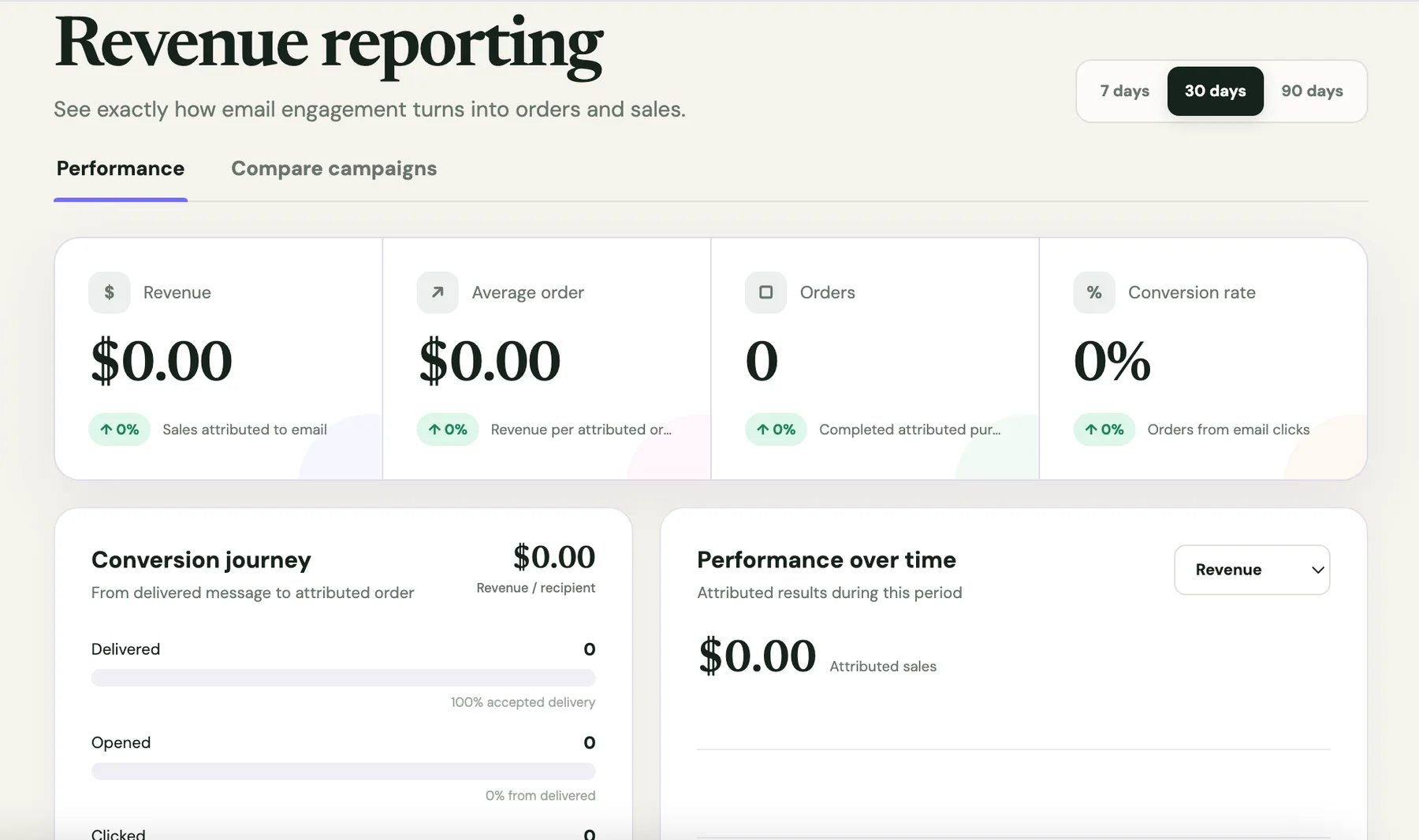
Compare attributed orders and revenue alongside engagement. Put your next effort behind the messages that brought people to checkout.
See the journey from delivered emails to unique openers, clickers, and orders. Track conversion rate, average order value, and revenue per recipient.
Attribution can use a tracked click, the last email click within your attribution window, or a campaign identified by a connected integration.
Connect supported commerce tools or send conversion events to SignalPost. Revenue reporting depends on the conversion data you provide and the attribution match.
Start tracking email resultsFrom problem to working campaign
Keep the pieces that worked. Change the offer, pick the audience, and set the follow-up without rebuilding your process.
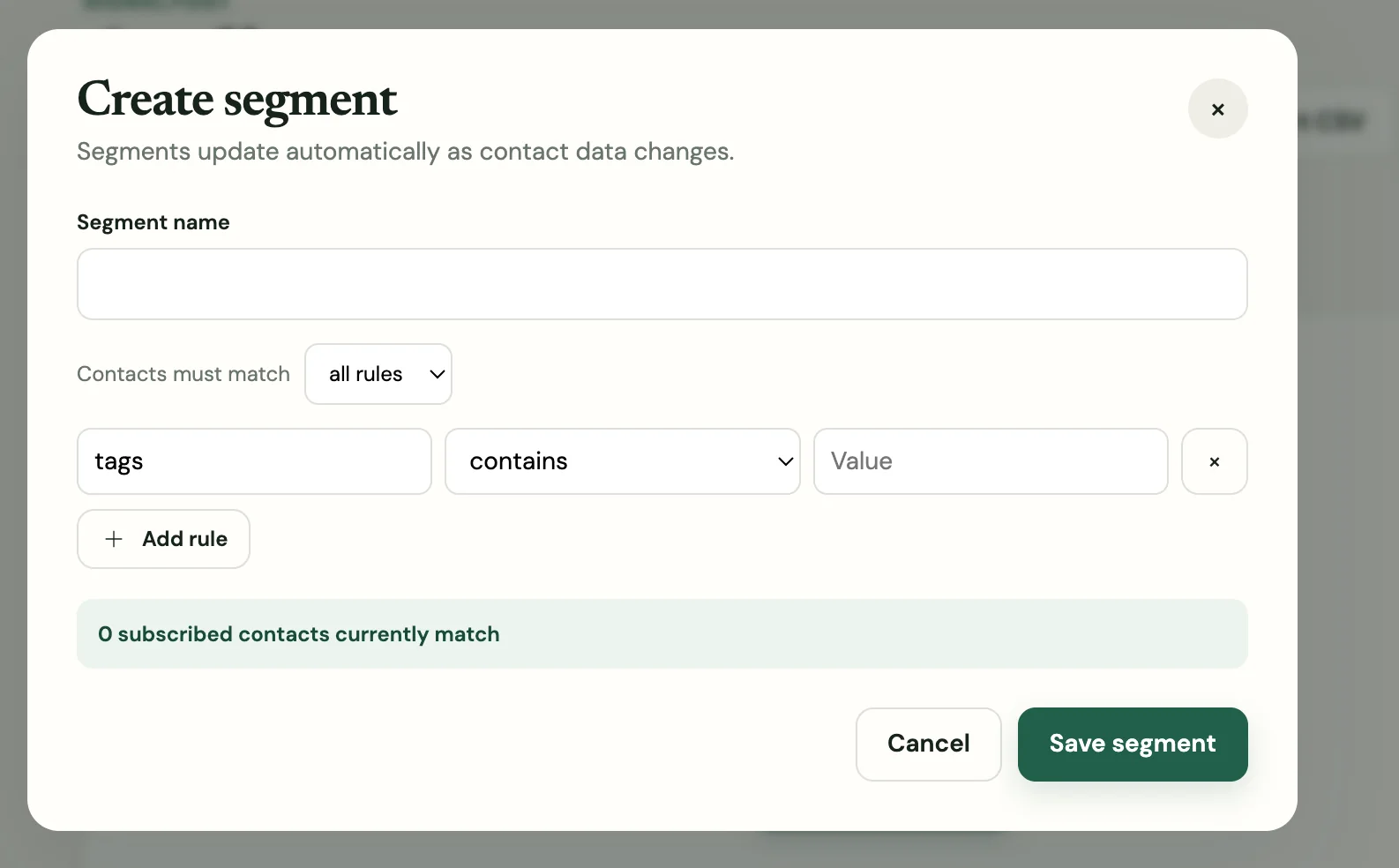
Stop starting from scratch
Start with your saved blocks or a template. Give AI your brief and a screenshot for inspiration, then edit the draft until it sounds like you.
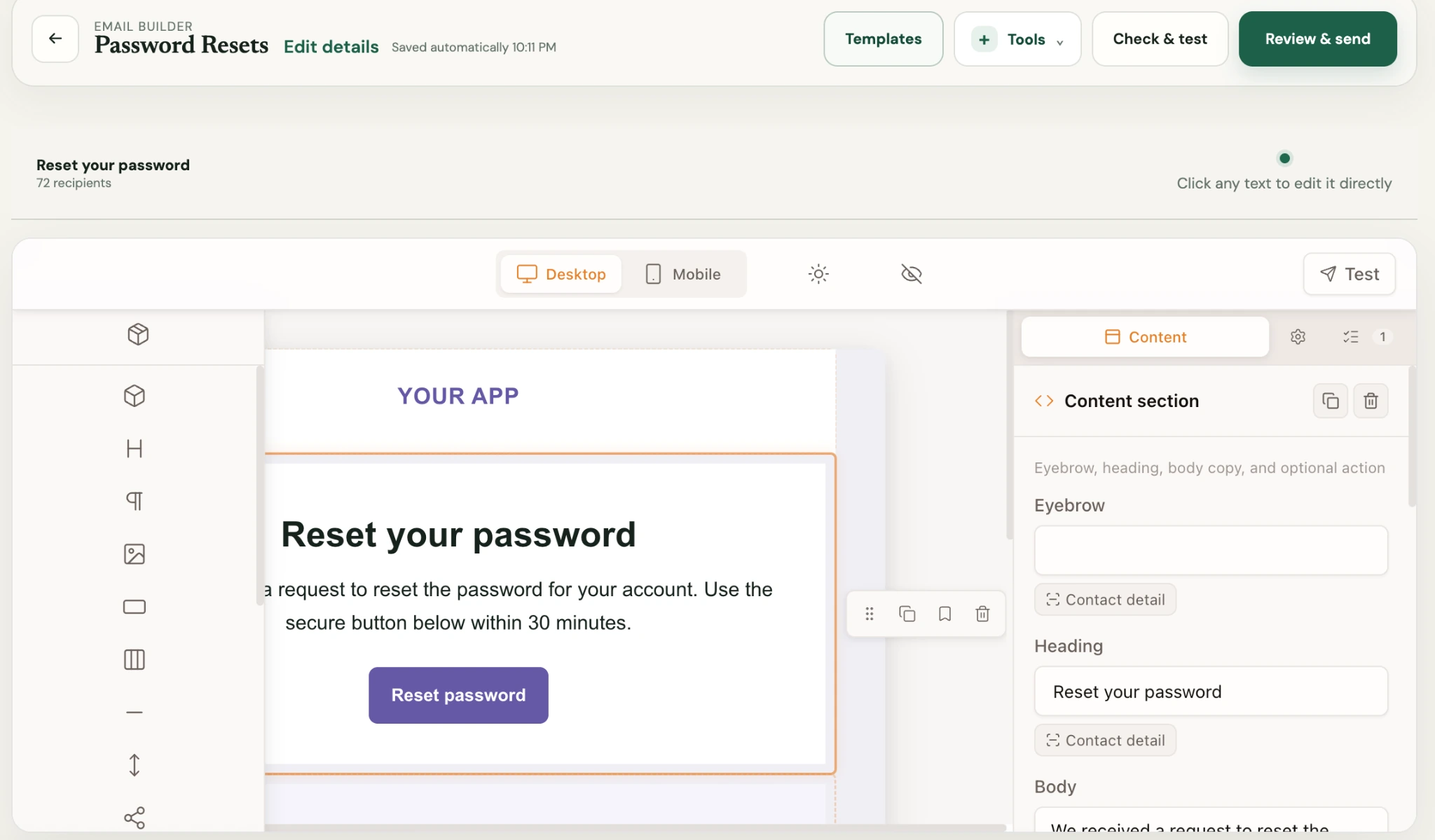
Stop managing yesterday's audience
Reach people who clicked, purchased, or fit your offer. Dynamic rules update membership as your contact and activity data changes.
Stop losing track of the follow-up
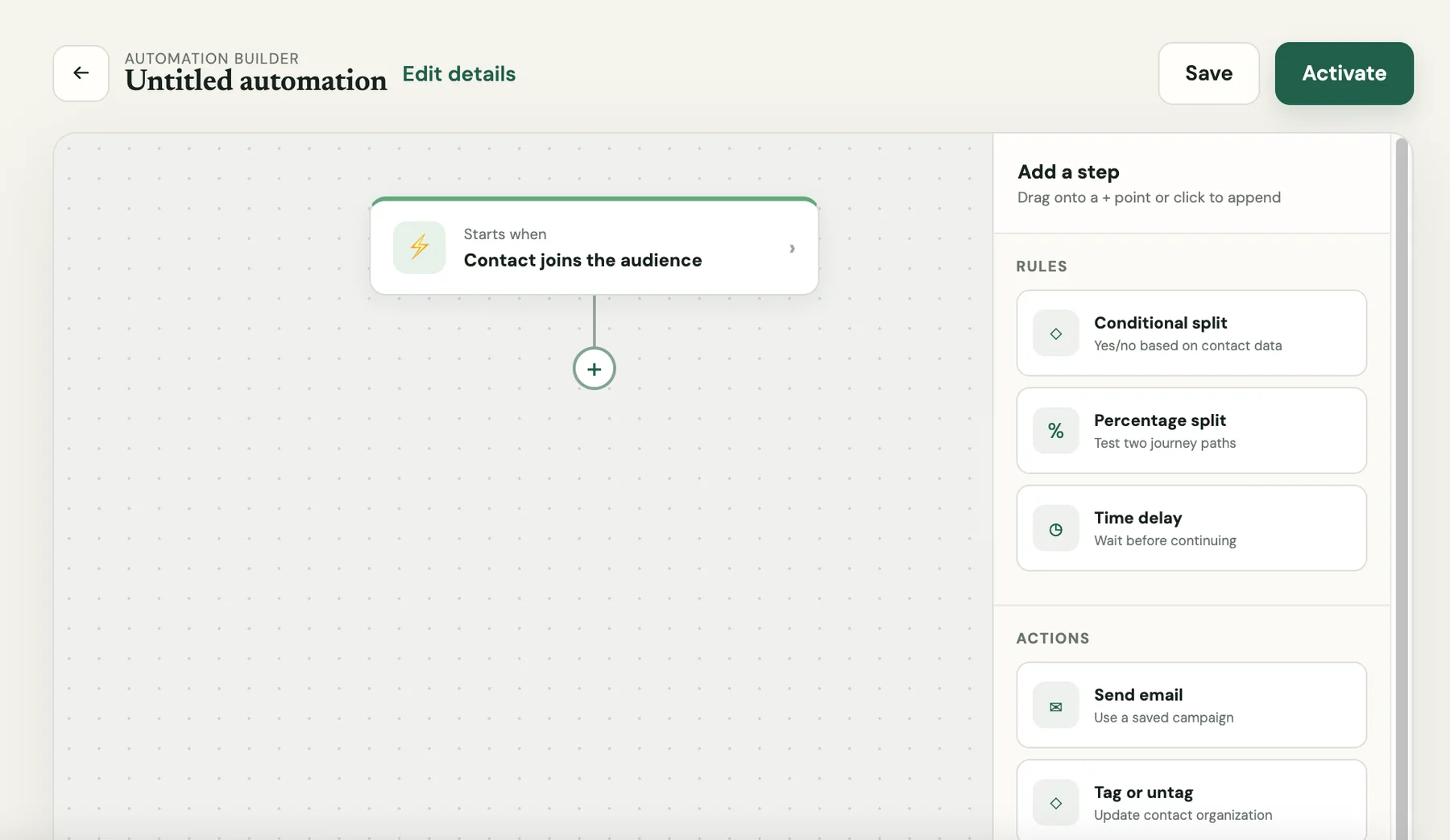
A welcome series needs another step. A nurture path needs a different delay. Move actions in a saved journey, test it, and check what happened in the run logs.
AI assistance, from the first idea
Give AI the offer, the audience, and an example of the look you want. Get an editable draft, then make it yours. No wrestling with a finished image you can’t change.
Tell SignalPost what you’re promoting and who it’s for. Get a first draft you can edit section by section.
Upload or paste screenshots for layout inspiration, colors, copy, or product context. Tell AI what to take from them so the draft starts closer to your idea.
Ask AI to revise an individual email section, subject line, or preview text. Review the suggestion and keep editing in the builder.
Ask AI to draft segment rules using your contact data. Check the rules and matching contacts before you save the audience.
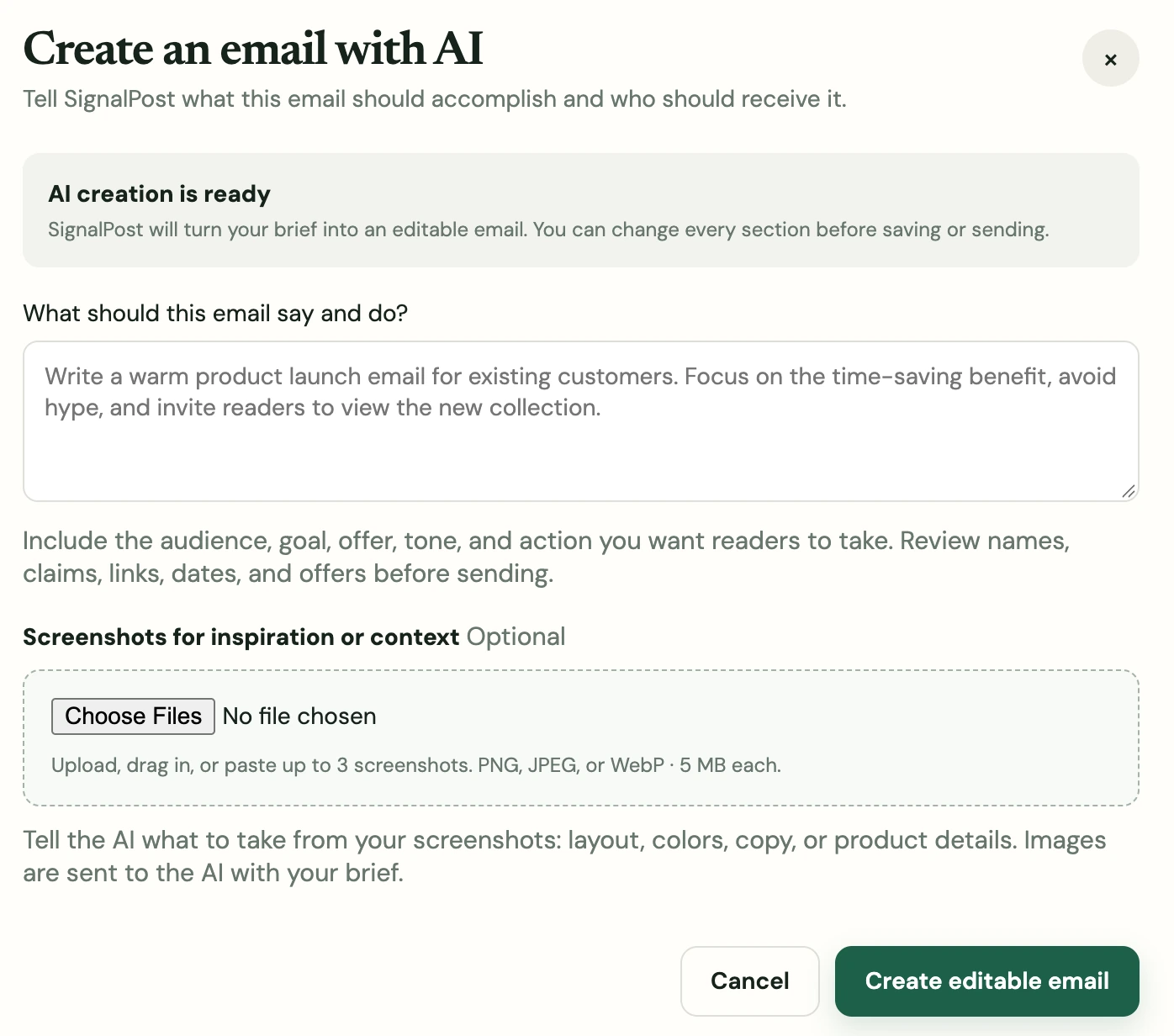
Every AI email draft stays editable in SignalPost.
Start creating with AIThe details around the send
The everyday problems deserve real tools. Put names against tasks, read the bounce reason, and repair tracked destinations after delivery.
Production calendar · Growth and higher
Keep campaign tasks and planned sends on a monthly calendar. Assign work to team members, track status and priority, and use in-app alerts for assignments, approaching deadlines, and overdue tasks.
Sending domain & delivery
SignalPost provides the DNS records your sending domain needs and shows their verification status. DKIM, return-path checks, and the DMARC Active badge make setup visible. Delivery reports show the server's available bounce reason and response details.
Authentication helps establish your sending identity. Inbox placement also depends on your list, content, reputation, and the receiving provider.
After-send link corrections
Open the sent campaign and choose Correct links. Update the destination, check the change history, or restore the original. Future clicks on that tracked link use the updated destination.
Works with SignalPost-tracked links. It does not rewrite email text, past clicks, direct links, or unsubscribe and preference links.
Conversion & revenue tracking
See delivery outcomes and recipient engagement, then connect conversions and attributed revenue when commerce or analytics data is available. Compare campaign versions and use the results to guide the next send.
Explore revenue tracking →Built around your team
Choose Brand, Creator, Agency, Non-Profit, or Higher Education mode for terminology, templates, and dashboards that match your work.
Brand team
For teams connecting campaigns, lifecycle automation, commerce events, and performance reporting.
Creator & publication
For newsletters, publications, and creators who want a broadcast-first workflow with growth tools.
Agency
For agencies that need separate client workspaces, clean switching, and portfolio-level visibility.
Non-Profit
For missions, donors, volunteers, events, and impact updates that should not feel like corporate marketing.
Higher Education
For admissions, advancement, alumni, and campus teams managing many audiences and timelines.
Connect the data behind the result
Connect supported CRM, commerce, and analytics tools. Bring purchase events into your reports so the result doesn’t stop at the click.
See conversion & revenue tracking →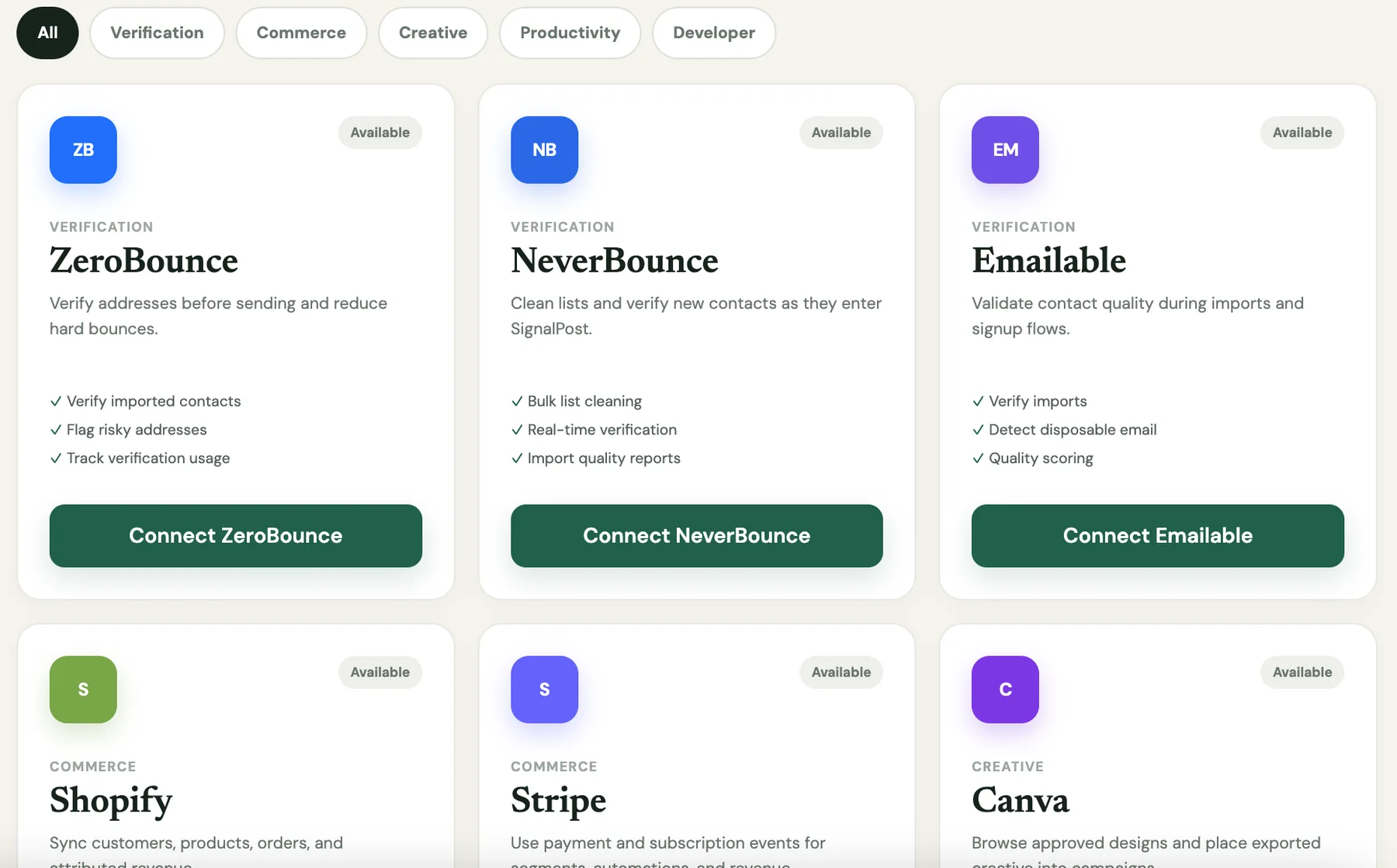
What changes with SignalPost
| When this happens | SignalPost gives you |
|---|---|
| The design needs to be built again | Custom blocks, saved sections, templates, and editable AI drafts |
| The audience keeps changing | Dynamic segments based on contact data and activity |
| A saved automation needs a different sequence | Step reordering, testing, run logs, and pause/resume controls |
| Campaign work is scattered across people | A production calendar with tasks, owners, and in-app alerts on Growth and higher plans |
| A bounce report is too vague | Available SMTP responses, status codes, and bounce reasons |
| A sent link points to the wrong page | Tracked destination corrections with change history and restore |
| Reporting needs to go beyond clicks | Attributed conversions and revenue from connected event data |
Straightforward monthly plans
Keep your contacts. Choose a plan for the emails you send each month. Campaigns, automation, and reporting are included from Starter.
Starter
For small teams building a consistent email program.
10,000 sends / monthStart freeGrowth
For teams coordinating campaign tasks, deadlines, and customer journeys.
50,000 sends / monthStart freePro
For established programs sending frequent campaigns at scale.
150,000 sends / monthStart freeAgency
For agencies managing higher volume and multiple client workspaces.
500,000 sends / monthStart freeProduction calendar, task assignment, and in-app alerts are included on Growth, Pro, and Agency plans. Review your trial length, monthly sending allowance, and billing details at signup.
The practical questions
Clear capabilities, clear limits, and a place to start with your own campaign.
Start your free trial →Connect supported commerce integrations or send conversion events to SignalPost. Attribution can use direct tracked clicks, the last email click within your attribution window, or a campaign identified by an integration. Signals Hub shows attributed revenue, orders, conversion rate, average order value, and revenue per recipient. Results depend on the conversion data provided and the attribution match; being on a mailing list alone does not assign revenue to a campaign.
Yes, for SignalPost-tracked links. Open the sent campaign, choose Correct links, and save the new destination. Future clicks from already-delivered emails use it. You can view changes and restore the original. Direct links, email text, past clicks, and unsubscribe or preference links cannot be changed this way.
Yes. Save custom content blocks, sections, and templates for later campaigns. Create with AI also accepts screenshots for inspiration or context and returns an editable draft that you can review and change.
Yes. Move actions within their journey paths, test the workflow, review run logs, and pause or resume the automation. Branches and exits keep their place in the journey structure.
Growth, Pro, and Agency include the campaign production calendar, task management, team assignment, and in-app alerts. Starter includes the core campaign, audience, automation, and reporting tools.
Delivery diagnostics show the reason, SMTP response, and status details available from the sending or receiving server. These help distinguish invalid addresses, temporary delivery failures, and policy rejections. The detail available depends on the response provided by that server.
No. SignalPost guides sending-domain verification and shows authentication status, including a DMARC Active badge when the DNS record is validated. Authentication identifies your sender; list quality, reputation, content, engagement, and receiver policies also affect placement.
Yes. Import a permissioned CSV audience, organize tags and custom fields, and connect supported CRM sources. Dynamic segments can use contact data, engagement, conversion, and purchase activity as that data becomes available.
Yes. Agency mode provides a portfolio view and separate client workspaces. Each client keeps its own contacts, campaigns, sending identity, integrations, forms, reporting, and usage.
Your workspace's trial length, selected plan, and billing details are shown during signup and in your account. Review them before subscribing, and cancel before the trial ends if SignalPost is not the right fit.
Start with the campaign on your desk
Bring the audience. Reuse your best work. Get the campaign out—and see what it earned.
Start your free trial